Focus on now
Whiteboard
Keep a small number of active tasks in view. Start, finish, or move them out of your immediate focus.
Made for desktop Obsidian · Free & open source
Four Layer Todo is an Obsidian task management plugin. Give what you are doing now, what comes later, and what matters long term their own space—so every task does not have to compete for your attention.
The browser demo uses sample tasks. It does not access your Obsidian notes.
For a calmer task workflow
Focus on now
Keep a small number of active tasks in view. Start, finish, or move them out of your immediate focus.
Make room for later
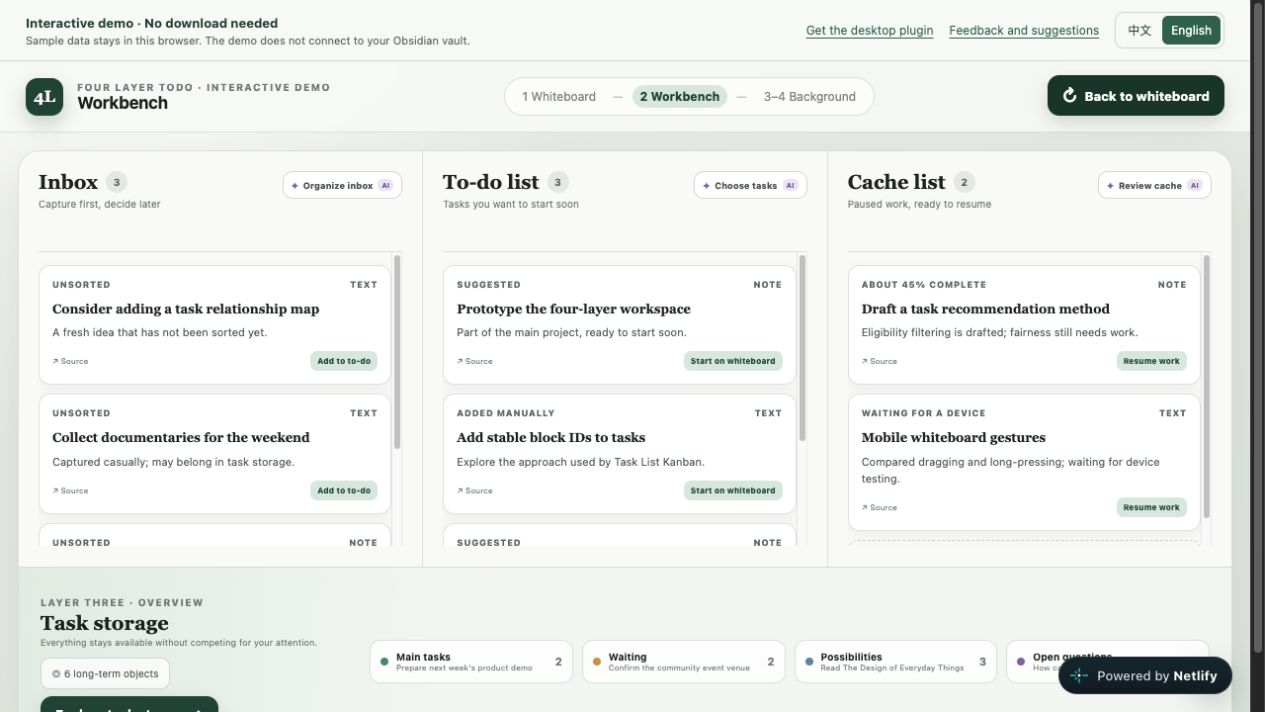
Capture ideas in the inbox, choose what comes next in the to-do list, and set aside tasks in the cache.
Keep the wider picture
Organize tasks at a broader level. Bring a task into the workbench when it is ready for attention.
Stay connected to what matters
Keep ongoing projects, themes, and directions nearby without making them occupy your daily workspace.
Put “Prepare next week’s talk” in the inbox. You do not need to decide when to start yet.
Move it to the to-do list when you are ready. If it can wait, keep it in the cache.
Bring one small step onto the whiteboard for today. Leave everything else in its own place.
DESKTOP OBSIDIAN
The plugin runs in desktop Obsidian. The browser demo introduces the idea; try the actual plugin in a test vault before adding it to your daily workflow.
The plugin currently supports desktop Obsidian only, not Obsidian on phones or tablets. You can open the browser demo directly.
The plugin is free and open source under the MIT license. The browser demo does not require an account.
No. It does not connect to an Obsidian vault. Demo tasks are stored in your current browser and may be lost if you clear browser data.
The demo is an interactive concept prototype. Some controls and AI buttons are placeholders. Refer to the GitHub documentation and releases for the actual plugin features.